
Patient Portal
Easily connect with us using the Well app and online patient portal. Patients at Tahunanui Medical Centre can use Well to access their health records, book appointments, request prescriptions, and more.
Not using the Well app yet? For the best experience, download the Well app using the links below!
Create an account
Registration is quick and easy!
1. Download ‘Well NZ’ on the App Store or Google Play.


2. Select ‘Create Account’ and enter the invite code: TAHUNA
3. Enter your details – these must match what we hold on file
While Well is best experienced on the app, it can also be accessed online. Use the above invite code to register and create an account online.
Once registered, you can use the same account to access the Well app and online portal.
About Well
We look forward to connecting with you on the Well app!
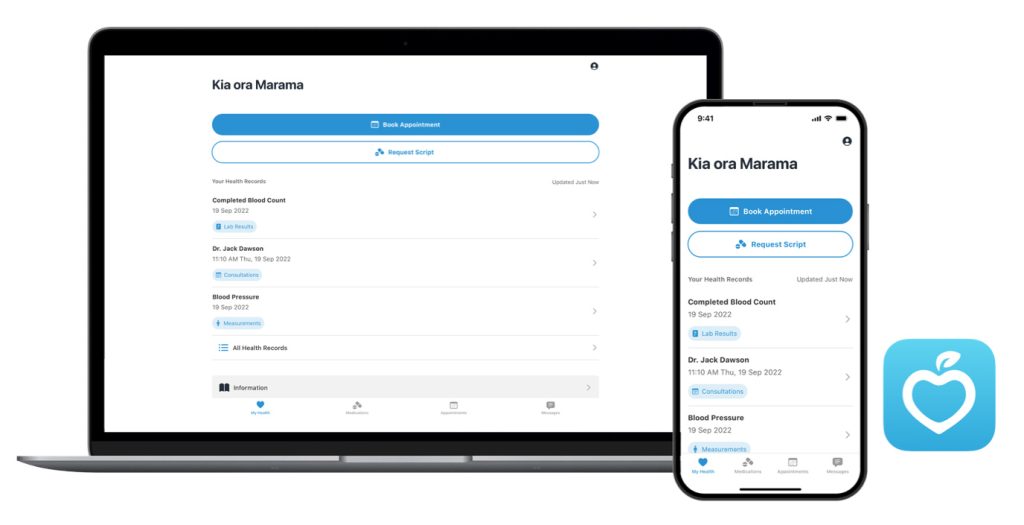
Well makes looking after your health simple. You can:
- Book and manage appointments
- Request and pay for repeat prescriptions
- Check lab results and consultation notes
- Access your health information
- Receive notifications and reminders from the app
- Passcode, touch/facial recognition – no more forgetting your username and password!
For further information about Well, visit well.co.nz
If you require any assistance with Well, please contact us at admin@tahunamedical.co.nz or visit the Well FAQs here.
Patient Portal Research and Insights – Have your say!
The Well app is developed by Ōtautahi-based health tech company Webtools. The Webtools team are keen to hear from anyone interested in taking part in patient portal research – helping to ensure new features designed for the Well app meet your needs!
For more information and to register, visit: www.centrik.co.nz/patient-research-signup
